Dragon Vision® turns a video into a vibration analysis tool. It tracks thousands of points on an ordinary recording, converts their movement into displacement signals and spectra, amplifies motion the eye cannot see, shows how one part moves relative to another, and communicates the result with animations, color maps and indicators drawn on the image. No sensor touches the machine.
What is Dragon Vision®?
Dragon Vision® is a vibration analysis software that measures motion in a video. It compares every frame of the recording against a reference frame, follows the points you place on the machine and converts each point’s movement into a time waveform and a spectrum, in the same viewer used for accelerometer data. One video can yield thousands of measurement points, which makes it the fastest way to study how a whole machine or structure moves: which parts move, how much, in which direction and in what phase relative to each other.
The technique behind it, The Looking Glass, is named after the U-2 Dragonlady reconnaissance aircraft: Dragon Vision® lets you see what others cannot. Learn what the Looking Glass technique is capable of.
How a video becomes vibration data
The workflow is the same for a phone recording and for an industrial camera. Everything is processed on the device that runs the software.
- Open the video and enter the real capture frame rate. A slow-motion file plays back at 30 frames per second whatever rate it was recorded at, and that rate is the sample rate of every signal.
- Choose a sharp reference frame. Points are placed on it and every other frame is compared against it.
- Place tracking points by clicking on details with texture, or let the software detect them inside an area. Bolts, edges and labels track well; a plain surface does not.
- Calibrate with one known distance in the picture. Without it amplitudes are in pixels; with it they read in physical units.
- Process. The tracker follows every point through the whole recording and returns its X/Y displacement.
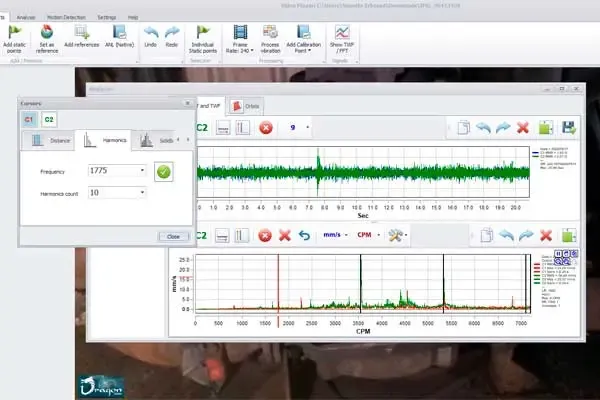
- Read the signals. Each point, or the average of a selected group, has its waveform and spectrum. Pick the frequencies that matter, straight from the peaks.
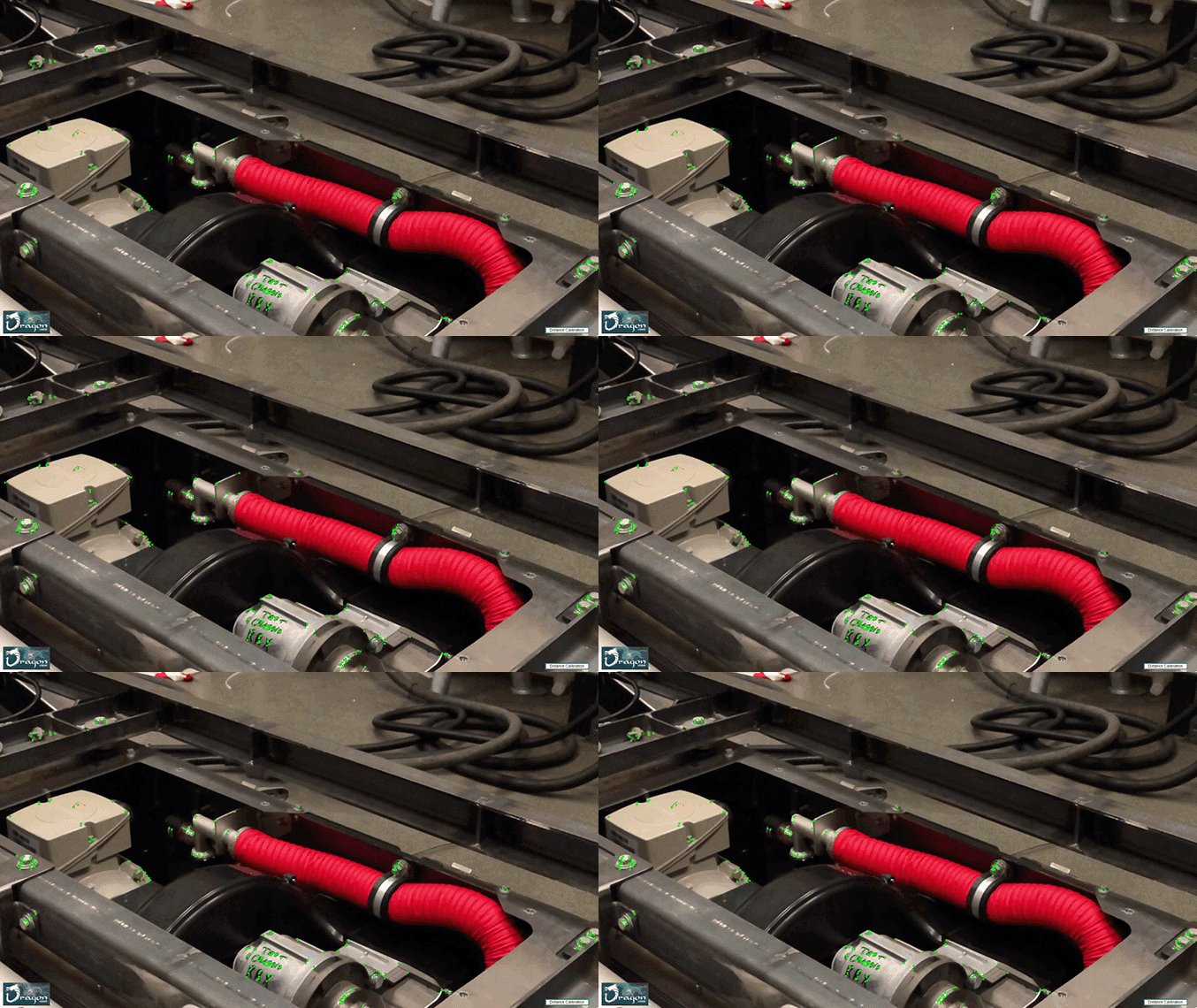
- See it move. Amplify the motion on the image, map where the machine moves, add dials and export the result.
Two ways to see the motion
Amplified recorded motion plays the video and, at every instant, exaggerates the displacement that was measured. You watch the vibration evolve through the recording, with the camera’s own movement kept or with a stabilized view.
Frequency simulation reconstructs the motion of the frequencies you selected over the reference image. It isolates one component, such as the running speed and its harmonics, so the shape of that motion is unmistakable.
A motion filter chain decides what gets amplified: high-pass, low-pass, band-pass, band-stop and DC removal can be combined to focus on the movement of interest and leave slow drift out. The filters act on the amplified motion, the dials, the animation heatmap and the export; the original trajectories are never changed, and the viewer shows the original and filtered signals side by side.
Separate what moves from what only seems to move
Camera compensation
A hand-held phone adds its own motion to every point. Dragon Vision® estimates the camera’s translation and rotation in the image plane from reference points placed on a background that does not move, and removes it from the measurement. The presentation can show a stabilized view or keep the original camera movement. It corrects camera motion, not perspective, zoom or blur, and it needs a genuinely static reference.
Relative motion between parts
Define one zone as the reference and analyze how other parts move with respect to it: a housing relative to its base, a pipe relative to its support, a motor relative to the pump it drives. This is independent from camera compensation and answers a more specific question about the assembly, which is often the question that matters for looseness, soft foot and structural problems.
Two heat maps to find where the machine moves
The motion heatmap reads motion directly from the images, with no tracking points at all. It shows intensity and dominant direction across the whole scene, can be limited to a frequency range, computed on demand while you scrub or over a selected interval, and any region can be pinned to get its own velocity spectrum. It is the quickest way to find the part nobody suspected.
The animation heatmap colors the displacement of the deformed image, including the areas between points, over the amplified motion. Overlay, opacity and sensitivity are adjustable, and it pauses with the frame for inspection and screenshots.
Both maps show where the energy is. The measurement itself is the spectrum of each point.
Dials, indicators and a timeline that tells the story
Amplitude and phase per zone
Any group of points can carry its own indicators on the video: dials of instantaneous displacement in X, Y or XY magnitude, and amplitude and phase indicators for the selected frequencies, each with its own axis, range, zero and size, automatic or manual scales with round numbers, and a compact phase view for small screens. The dials follow the motion during the animation and show measured values, independent of the visual amplification.
Curves along the timeline
Three curves shape a presentation over the length of the video: amplification, to raise or lower how much the motion is exaggerated; speed, to slow down the moments that deserve attention; and heatmap visibility, to bring the color in or out. A sequence can start with the original motion, amplify it gradually and then reveal the heat map, which is what convinces the people who approve the repair.
Several videos, one machine
A machine rarely fits in one shot, and a detail sometimes needs a closer one. Dragon Vision® organizes several recordings in one project with a common timeline. Each video keeps its own points, capture rate, calibration and references, and the recordings are related in the way the recording allows:
- By phase, for successive recordings of a steady vibration: one tracked point that shows the same physical detail in each video aligns the phase of every selected frequency, so all the shots move in step and animate as one machine.
- By time, for two cameras filming the same event at once: mark the same instant in each recording, or drag the clips on the timeline, and play the project.
Crop & Join crops, positions and resizes the recordings into a single view of the whole, and calibrated videos can be matched to the same physical scale. The composite exports as an image, and the project keeps its layout.
Measure, analyze, share
One known distance calibrates the whole recording, and the same ruler keeps other measurements on the image as references. Distance and velocity units are selectable, and every video in a project keeps its own calibration.
The analysis uses the same viewer as the rest of the Erbessd software: waveform and spectrum of one point or of the average of a selected region, harmonics, sidebands, band filters, windowing and markers. The original and filtered signals can be compared before choosing the frequencies to simulate.
A .dvproject file keeps the videos, the processed tracking, calibrations, references and settings, so the work is resumed without processing again. Results are shared as MP4 animations, images of the composition, and CSV or JSON files with the measurements. Built-in checks review calibration, tracking and the time and frequency limits of each recording.
What it detects, and what it does not
Dragon Vision® measures displacement, so it excels at the faults that live at low frequency and in phase:
- Imbalance
- Misalignment
- Mechanical looseness
- Bent shaft
- Eccentricity
- Resonance
- Natural frequencies, by bump test
- Electrical noise
Bearing faults live at high frequency and small displacement, where an accelerometer such as WiSER 3x is the right instrument. A video also measures only what the camera sees, in the plane of the image, so motion toward or away from the camera is not captured.
Specifications
| Input | Video recording (MP4 or MOV), ideally slow motion |
|---|---|
| Measurement | X/Y displacement of tracked points, frame by frame |
| Displacement resolution | 0.1 mil (2.5 µm) at 1 m in Full HD with a phone's main lens, measured; it scales with how much of the machine fills the frame |
| Maximum analyzed frequency | Half the capture frame rate (7,200 CPM at 240 fps) |
| Calibration | One known distance converts pixels to mm, µm, in or mil |
| Motion filters | High-pass, low-pass, band-pass, band-stop, DC removal |
| Camera compensation | Rigid 2D translation and rotation from static reference points |
| Motion maps | Optical-flow motion heatmap and animation heatmap |
| Multi-video projects | Several recordings on one timeline, synchronized by time or by phase |
| Outputs | MP4 animation, PNG composition, CSV and JSON measurements, .dvproject |
| Processing | Local, on the device that runs the software |
Dragon Vision® runs on Microsoft Windows®, iOS and Android, and the online version processes video recorded on any of them. The Windows licence includes the mobile app. It is sold in our online store at a published one-time price, with no annual fee.
Case Studies: Are You Ready To See The Unseen?
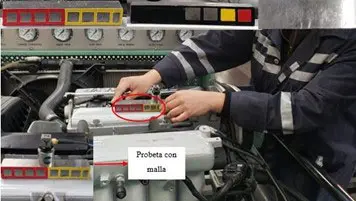
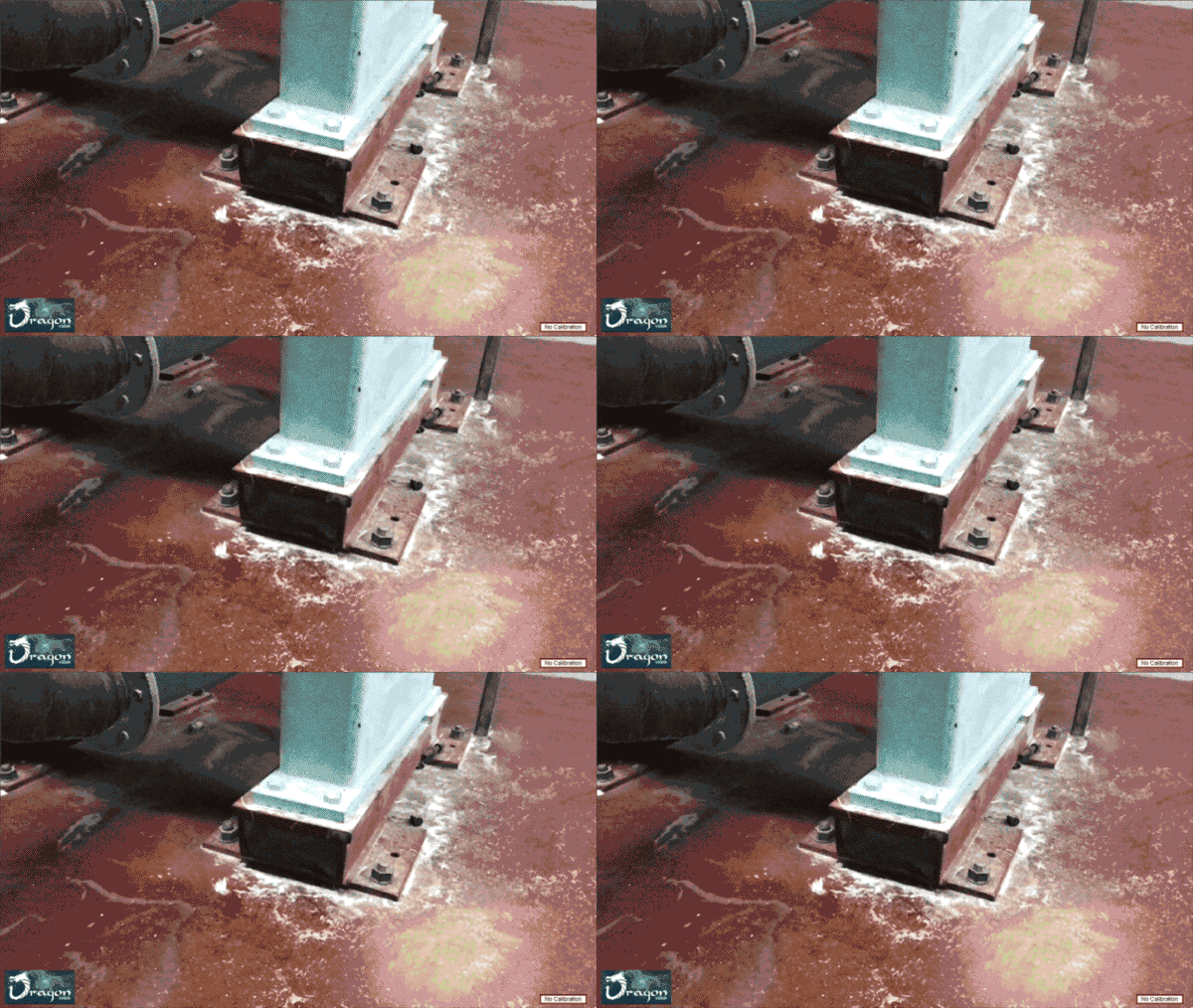
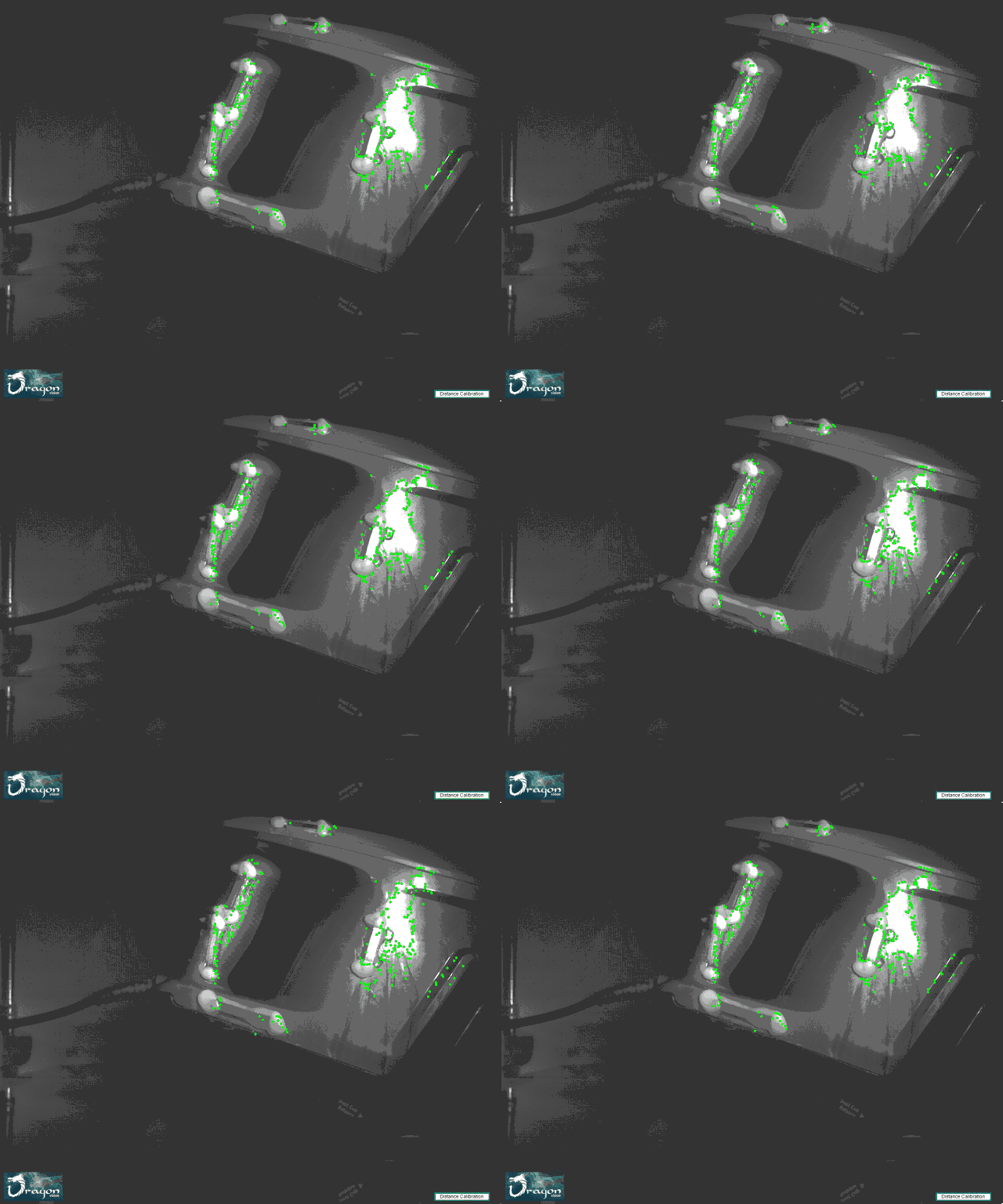
Vibration analysis in a Hyundai Sonata internal combustion engine with Dragon Vision®
Not sure whether your phone is enough? Start with Do you need a motion magnification camera, or is your phone enough? and, for the numbers, the advanced comparison.
Read more about the technique: Video deflection and motion augmentation and The Looking Glass technique.
Get your Dragon Vision® today!
More Options for Vibration Analysis
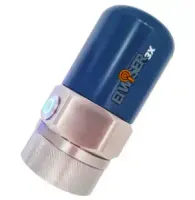
- Triaxial Accelerometer
- Full bandwidth 10kHz
- Long distance range up to 20m
- Stainless steel housing
- Operation temperature up to 185ºF (80ºC)
- Ideal for Real Life ODS & Route Based Data Collection
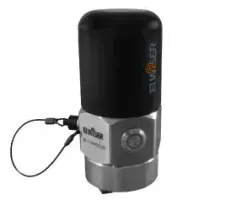
- Monoaxial Accelerometer
- Full bandwidth 10kHz
- Ultra low-noise accelerometer
- Long distance range up to 15m
- IP67 Grade
- Li-ion Rechargeable Battery
- Ideal for Real Life ODS & Route Based Data Collection
- Vibration Analysis + Dynamic Balancing
- All DigivibeMX tools in the one place
- Wired or Wireless, your choice
- Use it on up to 3 different computers
- Compatible with PHANTOM
- Connect to the cloud and save your data
- Machine Learning models for a batter analysis
- ODS analysis
Frequently asked questions
Do I need a special camera?
No. In Full HD, a phone camera has as many pixels as the industrial cameras used for motion magnification and a higher frame rate (240 fps against 160 to 180), so the results are comparable. Only a high-speed camera samples faster, and it does so by shrinking the picture to a strip or a patch; the advanced comparison has the numbers. The camera you already carry is normally the right one.
What camera resolution do I need?
No particular one, but the more pixels on the machine, the better the vibration resolution. What counts is how much of the machine fills the frame, not the distance by itself. At 1 m with a phone’s main lens, Full HD resolves about 0.1 thousandths of an inch (2.5 µm, measured on an iPhone XS) and 4K about half that. With the same lens, moving to 2 m halves the pixels on the machine and doubles that figure to 0.2 thousandths; a telephoto lens from 2 m gives back what the distance took.
What is the resolution in displacement?
0.1 thousandths of an inch (2.5 µm) at 1 m in Full HD with the phone’s main lens, and about half that in 4K. The figure scales with the width of the frame: the same lens at 2 m gives 0.2 thousandths, and a 5× telephoto at 1 m should give roughly a fifth of it (estimate, pending measurement). How to work it out for any camera and lens is in the advanced comparison.
How far away do I have to record?
Close enough, or zoomed in enough, that the vibration you are looking for is bigger than the resolution of that framing. As a reference, with the main lens the resolution is 0.1 thousandths of an inch at 1 m, and a vibration of 2 to 5 thousandths is easy to see at 5 m. The farther away you stand, the larger the movement has to be, unless you zoom in with an optical lens; digital zoom adds no pixels.
What is the maximum frequency the software gives me?
It depends on the camera’s frame rate: the maximum FFT frequency is half of it. Recording at 240 frames per second, the FFT reaches 120 Hz — 7,200 CPM.
How many lines of resolution can I get in the FFT?
As many as the recording length allows: the longer the take, the higher the resolution. Hundreds of thousands of lines are achievable.
Do I need a tripod, or can I hold the phone in my hand?
Almost always by hand — and that is not a compromise. The human body damps very well, and hand movement is at such a low frequency that it filters out easily.
A tripod improves amplitude resolution only if the floor is not vibrating. If the floor vibrates, that vibration travels up the tripod into the camera and the video is useless. Handheld costs a little resolution, which you get back by moving closer. A gimbal is an excellent option.
What does camera compensation do?
It removes the camera’s own movement from the measurement. Reference points placed on a background that does not move let the software estimate the camera’s translation and rotation in the image plane and subtract it from every tracked point. The view can be shown stabilized or with the original camera movement kept. It does not correct perspective, zoom or blur, and the reference must be genuinely static.
What is the difference between the two heat maps?
The motion heatmap measures the images; the animation heatmap colors the amplified motion. The motion heatmap reads motion directly from the frames with no tracking points, can be limited to a frequency range and gives any pinned region its own velocity spectrum. The animation heatmap colors the displacement of the deformed image, including the areas between points, during the amplified animation. Neither is a severity scale: red means the top of the chosen range, not damage.
Why would I add a second video to a project?
Because the machine does not fit in one shot, or a detail needs a closer one. Successive recordings of a steady vibration are aligned by phase through one tracked point that shows the same physical detail in each video, so all the shots animate as one machine. Two cameras filming the same event at once are aligned by time. Crop & Join then builds a single view of the whole.
What does a project file keep?
Everything needed to resume without processing again. A .dvproject stores the videos, the processed tracking, calibrations, references, filters, curves and the layout of the project. Results are shared separately as MP4 animations, images of the composition and CSV or JSON files with the measurements.
Can I use a GoPro?
Yes. They record in slow motion and vibrations show up very well. One caveat: fisheye lenses reduce amplitude accuracy, so a different lens is preferable.
Can I see resonance problems?
Yes — it is one of its best uses. It also lets you find natural frequencies with a bump test and evaluate the mode shapes visually, which is far quicker to interpret than a table of frequencies.
Can I see misalignment?
Yes, and it is another strong case. Because it measures phase at every point, you see each bearing at once and which direction it moves relative to the other. With the motion amplified, the visual clarity for that diagnosis is unmatched.
Can I see unbalance?
Yes, very well. You can also generate magnified videos of the whole machine and of the structure affected by that vibration, which is usually what convinces the people who have to approve the repair.
Can I see bearing problems with this software?
Unlikely. The system measures displacement, so it is aimed at low frequencies, and bearing faults appear at high ones. For bearings, an accelerometer is the right instrument.
Can I download the vibration spectra?
Yes, in a format compatible with Digivibe MX® and WiserVibe.
Can the spectra be exported?
Yes — to ASCII and to UFF 58. UFF 58 is the usual interchange format, so the data can go into other analysis programs.
Is there an annual fee?
No.
Does the licence include mobile devices?
The Windows licence includes mobile. The other way round it does not: the mobile licence can be bought separately, but it does not include Windows.